
A private-label induction range starts with a platform brief: where the appliance must fit, how it will be connected, which cooking layouts matter and how the customer will operate it. A model number becomes useful once those requirements are clear.
This guide uses SIELD’s confirmed induction shortlist to show how a buyer can make those choices in order. The examples provide concrete comparison points for a specification discussion. Final drawings, electrical configuration and supporting documents belong to the selected model and project.
1. Define the role of each model in the range
Begin with the job each SKU must do. A narrow two-zone module, a main four-zone hob and a wide multi-zone product represent different installation and cooking briefs. Write down the intended cabinet, worktop and user scenario before comparing feature names.
The confirmed reference set includes two to six induction zones. PK-M23508 provides a 290 mm-wide two-zone reference. PK-B47221 and PK-B47221-F2 provide four-zone references within the same listed external dimensions. PK-M57228 and PK-M672136-F3(BQ) introduce wider five- and six-zone layouts. Zone count, overall width and total listed power are separate selection dimensions.
Give every candidate a purpose.
For each planned SKU, record its installation format, cooking-layout priority and intended control experience. This gives engineering and sales a common brief for proposing a configuration.
2. Separate external size from the installation opening
A nominal width band is useful for organizing a range. The exact dimensions and cut-out are what make a model relevant to a cabinet project. Keep both in the comparison sheet, together with the model suffix.
| Model | Zones | Product dimensions | Catalogue cut-out | Control |
|---|---|---|---|---|
| PK-M23508 | 2 | 290 × 520 × 60 mm | 272 × 496 mm | Touch |
| PK-B47221 | 4 | 590 × 520 × 56 mm | 566 × 496 mm | Slider |
| PK-B47221-F2 | 4 | 590 × 520 × 56 mm | 566 × 496 mm | Slider |
| PK-B472123-F2 | 4 | 590 × 520 × 56 mm | 560 × 490 mm | Magnetic knob |
| PK-M57228 | 5 | 900 × 520 × 55 mm | 872 × 492 mm | Slider |
| PK-M672136-F3(BQ) | 6 | 900 × 550 × 62.5 mm | 860 × 510 mm | Magnetic knob |
PK-B47221-F2 and PK-B472123-F2 illustrate why this matters. Both are listed at 590 × 520 × 56 mm. Their catalogue cut-outs differ: 566 × 496 mm and 560 × 490 mm respectively. A matching outer footprint therefore does not establish that either product can replace the other in an existing worktop.
Ask for the current installation drawing with dimension definitions, tolerances, fixing details, worktop requirements, clearances and ventilation provisions. Review the surrounding cabinet and anything below the hob as part of that drawing review. Catalogue cut-outs help build a shortlist; the approved installation documentation should guide the project specification.
For an existing product refresh, include the current opening and cabinet information in the first enquiry. For a new range, agree whether the target opening is fixed or whether the furniture design can accommodate the chosen platform. That distinction can change which candidates are worth sampling.
3. Fix the electrical boundary before comparing power labels
Give the supplier the destination market, intended voltage and frequency, available phase arrangement, connection method and any project power limit. Request the wiring information for the exact proposed configuration. A general market label or an attractive model image cannot resolve these details.
Read the qualifier attached to a power value. PK-M57228 has a catalogue limited total power of 7200 W. PK-B47221 lists a catalogue total power of 7200 W. Those descriptions should remain visible in the review. Neither value explains every zone’s simultaneous operating behaviour on its own.
- Separate total input information from individual zone nominal and Boost values.
- Ask how the selected configuration allocates power when several zones are active.
- Clarify any power-limit setting, its available range and how it is configured.
- Match the proposed supply and wiring with the installation and technical file.
A sample plan should include the cooking combinations that matter to your product brief. For example, define which zones will be used together and what the buyer expects to observe during a control or power-allocation review. Agree the test conditions and acceptance criteria with the engineering team.
4. Choose the cooking layout around the intended use
Compare the position and form of the cooking areas. PK-B36521 is a three-zone reference with a listed 280 mm right-hand zone. PK-B47221-F2 is a four-zone slider-control reference with a flexible cooking area; its individual zones are listed at 190 × 190 mm. These are distinct ways of organizing the cooking surface.
Translate a broad request such as “a flexible hob” into questions that can be answered for a model: which areas link, how the linked area is controlled, what cookware sizes are supported and what happens when other zones are active. Keep the actual cookware requirements in the brief so they can be reviewed with the proposed platform.
For a wide product, examine the working layout as well as the zone count. The five-zone PK-M57228 lists a 280 mm centre zone and a 900 × 520 × 55 mm body. The six-zone PK-M672136-F3(BQ) lists 900 × 550 × 62.5 mm. The extra depth and different cut-out belong in the installation comparison alongside the cooking arrangement.
5. Treat the control interface as part of the platform choice
The reference set includes touch, slider and magnetic-knob controls. Compare the intended operating sequence: selecting an area, changing a setting, using any linked area and understanding the display. Review the functions listed for each exact model rather than carrying a feature across the range by appearance.
PK-B47221-F2 and PK-B472123-F2 are a useful control comparison: slider versus magnetic knob, with flexible cooking areas on both references. Alongside the different cut-outs, ask about the knob’s inclusion, operation with the knob removed, replacement parts and instructions for the selected configuration.
If the brand requires different graphics, language or control behaviour, put those requests into a separate configuration brief. Identify the hardware and software version being discussed and the sample that will demonstrate the agreed behaviour. This keeps a requested interface change connected to a defined product.
6. Freeze a reviewable specification before approving the product identity
Keep one version-controlled record linking the model and suffix, external dimensions, cut-out drawing, electrical configuration, heating layout, controls, included parts and requested finish. Add the proposed sample reference and the open questions. This is more useful to a purchasing team than a collection of images with similar model names.
Review appearance together with the engineering specification. A finish, marking or control choice may affect which configuration is proposed. Record what is included in the sample and what remains a request, then compare the received sample against that agreed record.
For the destination market, request the documents applicable to the exact model, configuration and scope. General CE/CB statements are not treated here as evidence that every shortlisted model has been individually verified. Keep the document identity and version attached to the product decision.
7. Send a brief that enables a useful model proposal
A strong first enquiry makes the buyer’s constraints visible. Include:
- Range role: the intended format, zone layout and control experience.
- Destination and supply: the country, electrical requirements and connection information available for review.
- Installation: cabinet and worktop details, existing cut-out where relevant, and the drawing questions to resolve.
- Candidate models: full model numbers and suffixes, with the specific reason each is shortlisted.
- Configuration requests: appearance, markings, controls, included parts and any requested program changes.
- Sample and evidence priorities: the operating combinations to review, the required instructions and the model-specific documents to match.
Use the shortlist to request a defined configuration proposal, commercial quotation and sample plan. Keep unresolved points visible so that purchasing, engineering and the brand team are reviewing the same product.
Model references for your review
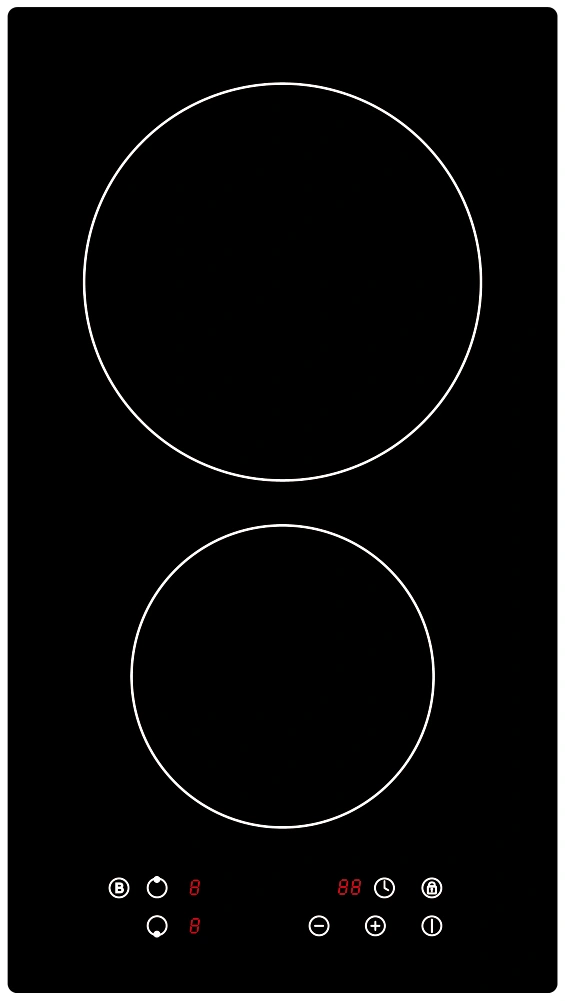
PK-M23508
Two-zone induction cooktop
- Product dimensions
- 290 × 520 × 60 mm
- Catalogue cut-out
- 272 × 496 mm
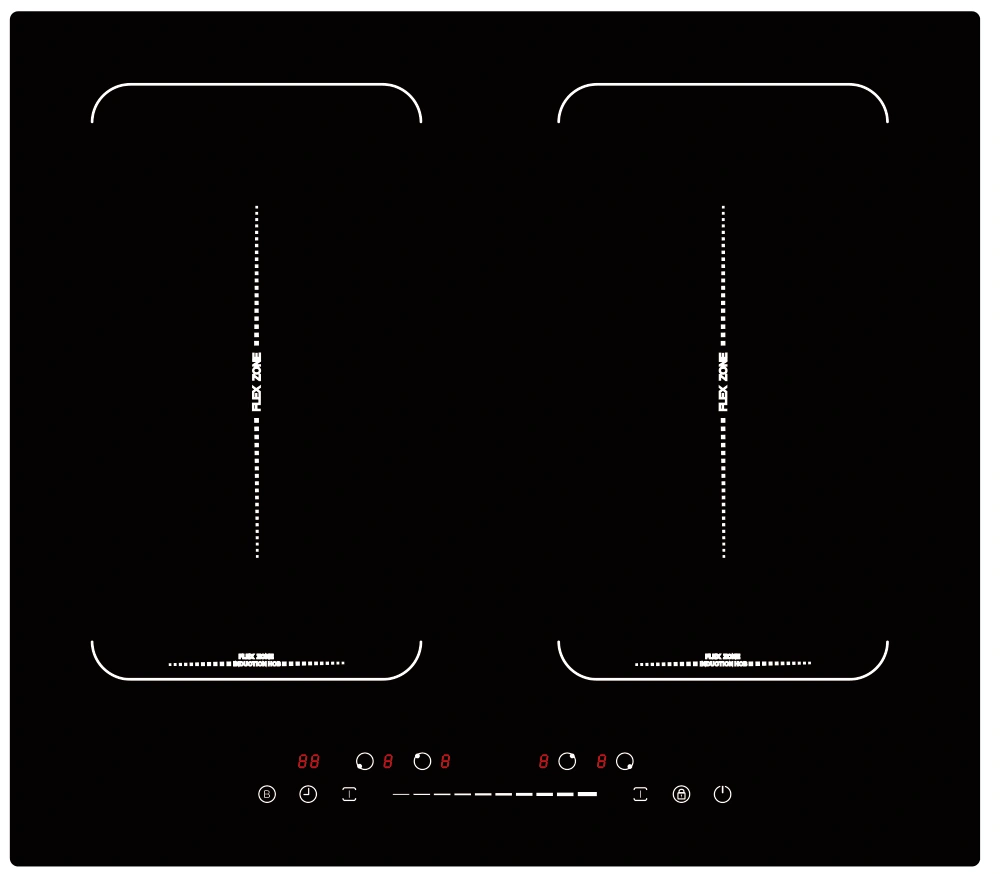
PK-B47221-F2
Four-zone induction cooktop with flexible cooking area
- Product dimensions
- 590 × 520 × 56 mm
- Catalogue cut-out
- 566 × 496 mm
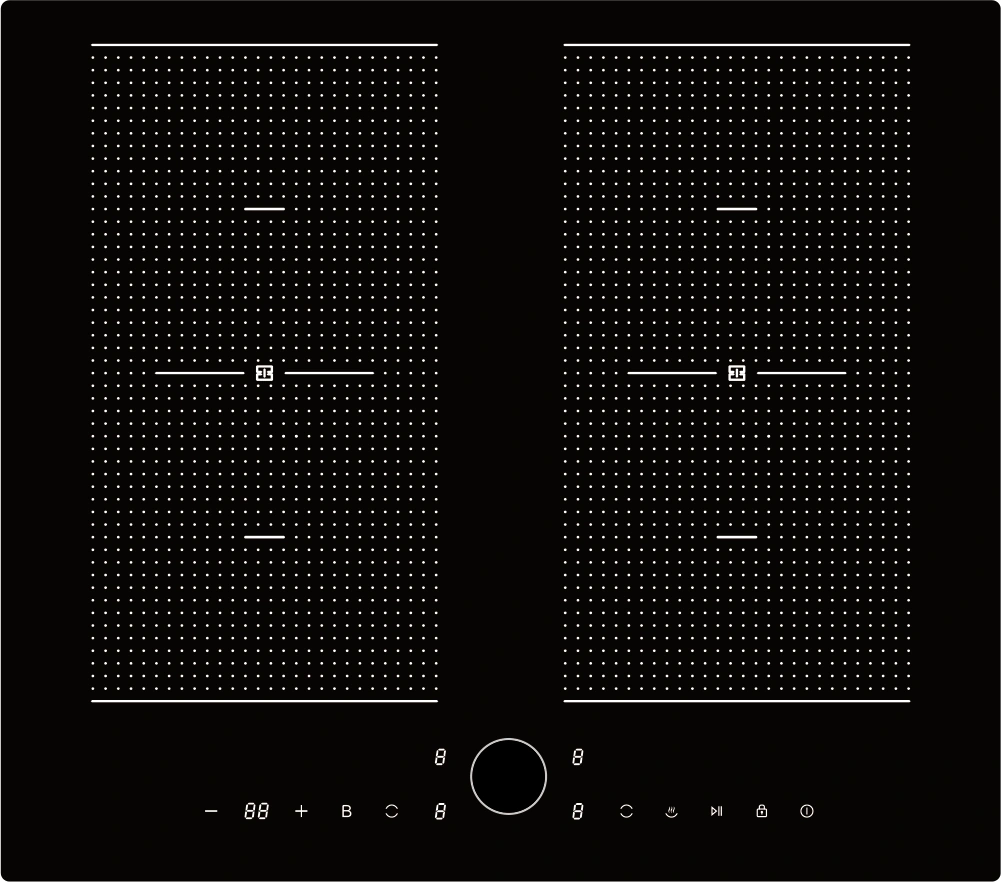
PK-B472123-F2
Four-zone induction cooktop with magnetic knob control
- Product dimensions
- 590 × 520 × 56 mm
- Catalogue cut-out
- 560 × 490 mm